Free
- Studio: 10 Standard exports per calendar month, up to 2048 pixels on the longest side.
- Tools: single-photo editing, project saving and export without a monthly quota.
- Text, fonts, four text backdrops and canvas transforms are included.
Free editing gives you a real result. Pro adds room for larger images, more detailed work and repeated workflows.

US reference prices. Monthly $4.99 takes effect October 19, 2026; annual $39.99 is unchanged. Local prices and any eligible trial are shown by Apple before purchase.
Subscriptions renew automatically unless canceled at least 24 hours before the end of the current period. Manage or cancel in your App Store subscription settings.
Keep finished and unfinished work in one library. A label on each card shows whether it belongs to Studio or Tools.
What you can adjust
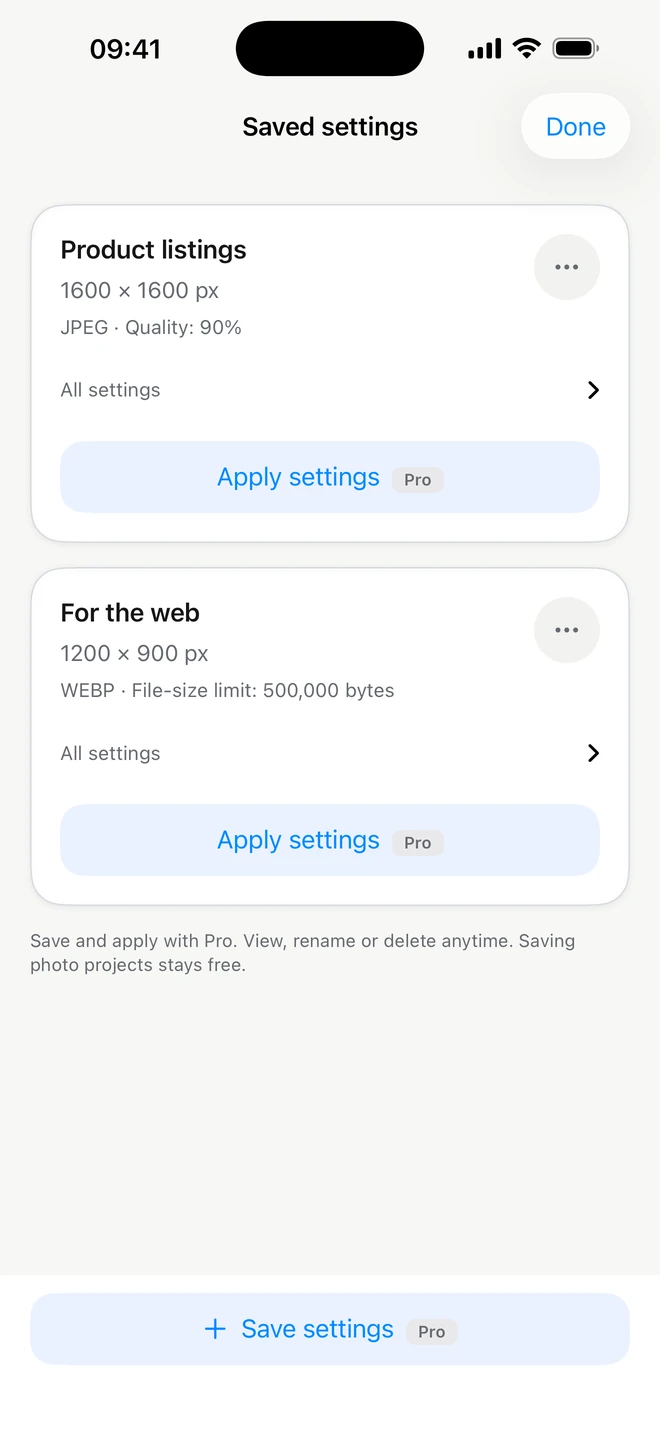
Create folders, organize work and reopen it with its settings. A saved project belongs to a specific photo. In Tools, ordinary project saving and repeat export are free; they are different from Pro settings reusable on new photos.
Organize collections in folders and return to a photo to change its text or size.
When a successful setup will be useful again, save it with Pro and apply it to new photos.
What you can adjust
A Studio style keeps background, placement, crop, format and shadow; text layers are not included. Tools settings keep size, format, compression, padding and an optional aspect rule. An exact hand-drawn crop rectangle is not transferred to another photo; the aspect rule creates a centered crop. Find Tools saved settings inside the editor and the batch parameters.
Save a shop setup: white background and spacing in Studio, or JPEG dimensions and target size in Tools.
ItemShot is an iPhone app for product photos. Studio removes backgrounds and helps build compositions with text. Tools crops, resizes, converts, compresses and manages metadata in exported copies.
Studio includes 10 Standard exports per calendar month at up to 2048 pixels. Single-photo Tools editing, saving and export have no monthly quota. Pro adds full-resolution Studio output, advanced editing, batches and saved settings.
Studio exports JPEG and PNG, including transparent PNG. Tools converts between JPEG, PNG, HEIC and WebP. Outputs are re-encoded in SDR.
Photos are processed on device and are not uploaded to ItemShot servers. When you export or share, the destination you choose may receive the file.
Start with your own photo. Find its best angle in ItemShot.
For iPhone · iOS 18 or later